Everyday work and keeping things tidy
By now you have a workspace, a couple of worktrees and probably Voice OS. This is the rest of what
I do day to day in Set up, one short section each. It's the store workspace from
tutorial 1 again, with store/main and store/wrk1.
Set up describes every page in full.
Worktrees
A new worktree is a fresh copy of every project in the workspace, on its own branches and ports. + new on the workspace's row on the board, or New worktree on the workspace's page, opens the form:
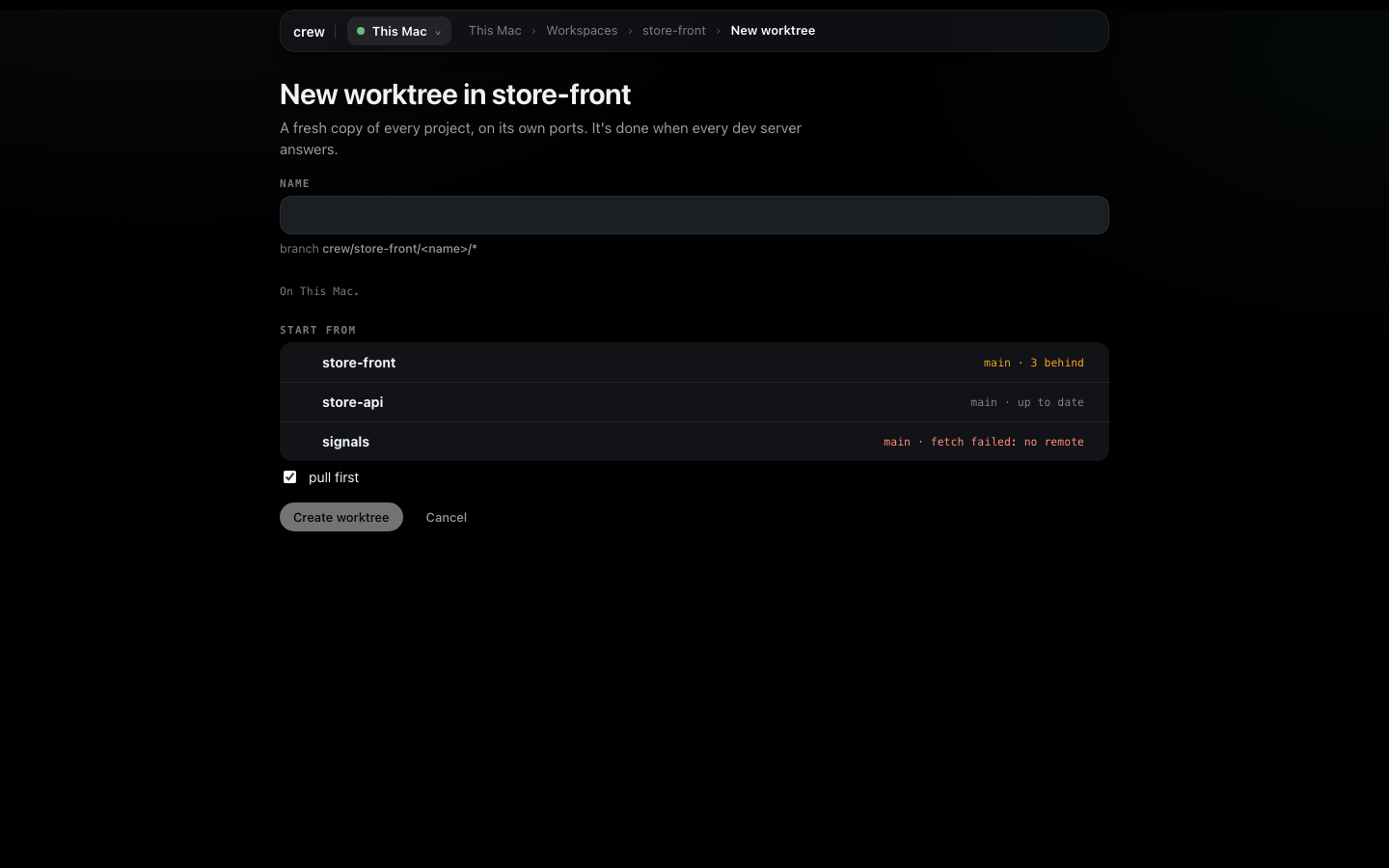
Start from shows each project's base branch and how far it is behind origin. pull first fast-forwards those bases before branching, and it never touches a branch you have checked out. Create worktree takes me to the new worktree's page, where the Dev servers card follows each project through checkout, install and its servers coming up.
The worktree's page has two small icons beside its name, Rename and Duplicate:
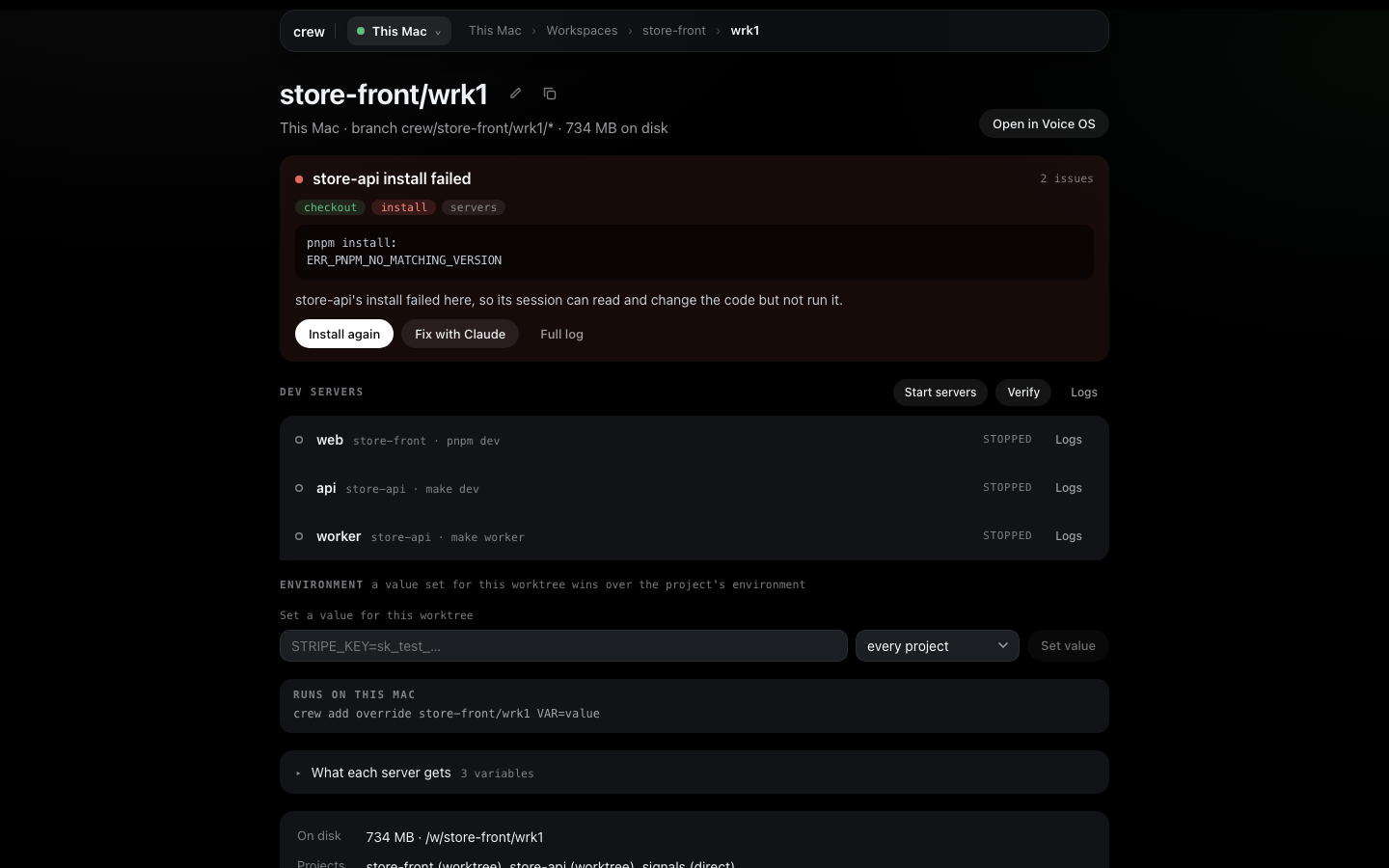
Duplicate asks for a name and makes fresh checkouts of the same projects on new ports, with the values set for this worktree copied across (more on those below).
Once I know what a worktree is for, I give it a name that says so. Rename moves its checkouts
and renames crew's branches, so crew/store/wrk2/store-api becomes
crew/store/search-fix/store-api. Its ports, its values and any recorded failure go with it. It's
refused while the worktree's servers run or setup is busy with it, so press Stop first. A
branch you already pushed keeps its old name on the remote, and an editor or shell you had open on
the old folder still points there.
Remove worktree at the bottom of the page doesn't remove anything straight away. It first shows what each checkout would lose: uncommitted files, commits that aren't on the base branch, and its size on disk. Confirming stops its servers, moves the checkouts to crew's trash (deleted in the background, see Settings) and deletes crew's branches. Commits that weren't on the base stay in git's reflog if you need them back. Removing a workspace's last worktree removes the workspace too, and the confirm says so.

A value for one worktree
The Environment on a project's form computes a value for every worktree. Sometimes one worktree
needs something else: a copy that should talk to a shared staging API, or a test key only one copy
needs. That's the Environment card on the worktree's page. I type VITE_API_URL=https://staging.example.com,
pick store-front instead of every project in the menu beside it, and press Set value.
The line then says set for this worktree and what it replaces, like "instead of store-front's value: store-api api's URL". A value set here wins over the project's own Environment, including lines for one server. What each server gets shows the final set, and × on the line takes it away. Servers read the new value on their next start, so press Restart after.

A binding for one server
A line in a project's Environment reaches every server of that project. For picks one server
instead, which is how a monorepo's web app and its worker get different values. On store-api's
Edit setup I add STORE_URL from store-front's URL with For set to worker only.
The preview under it shows what the worker would get in each worktree, marked "worker only":
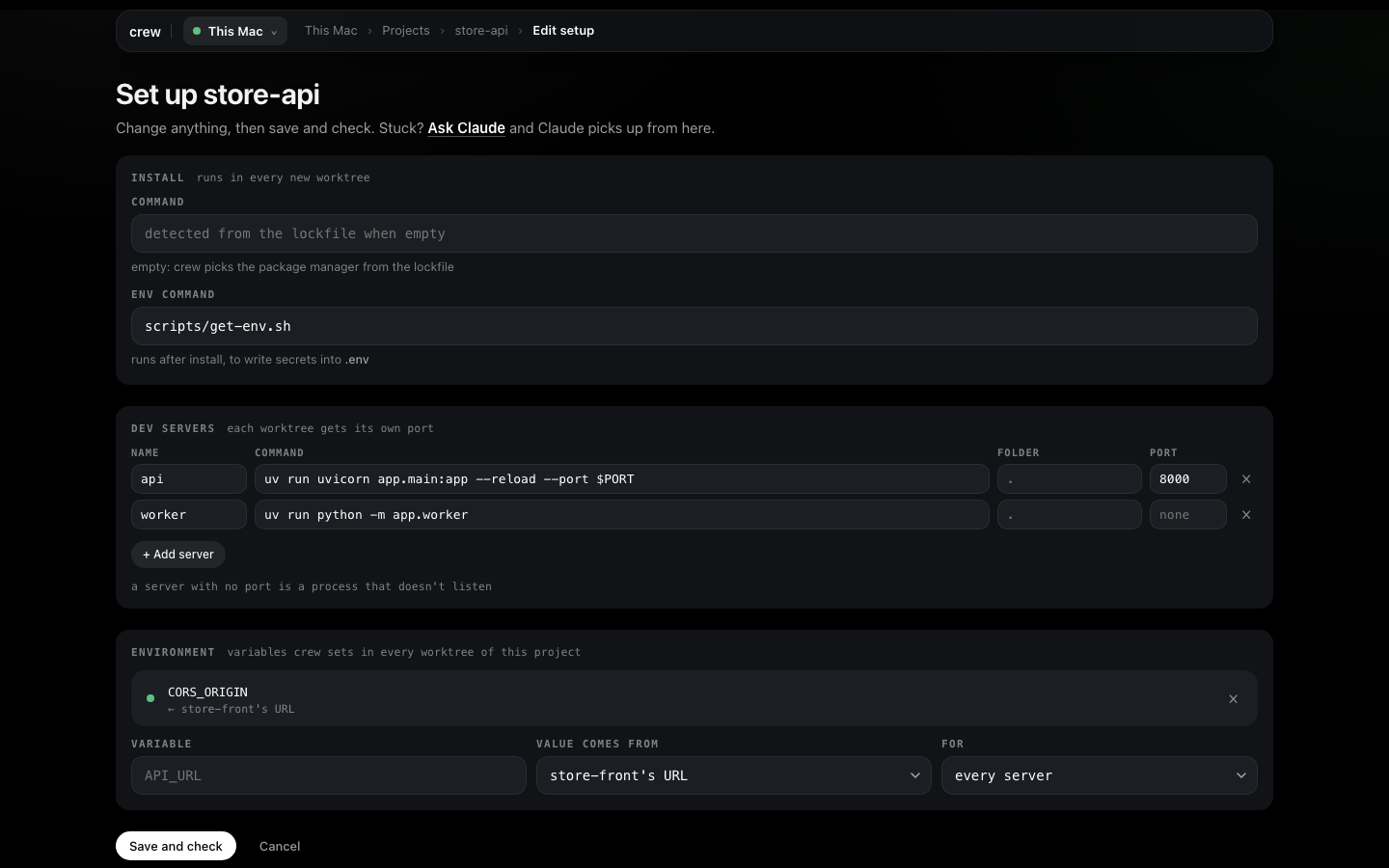
On the worker, that line wins over a project-wide line of the same variable. Saved, it shows as "worker only" in the list, and What each server gets on a worktree page shows it under the worker. How crew works has the precedence spelled out.
Checking a project from nothing
When I change a project's install, env command or servers, I want to know that a clean checkout still comes up, without touching any worktree I work in. Check on the project's page (or on its row in the board's Projects tab) does exactly that: a scratch checkout of its own, the install, the env command, and every dev server has to answer. Save and check on the form runs the same check after saving.
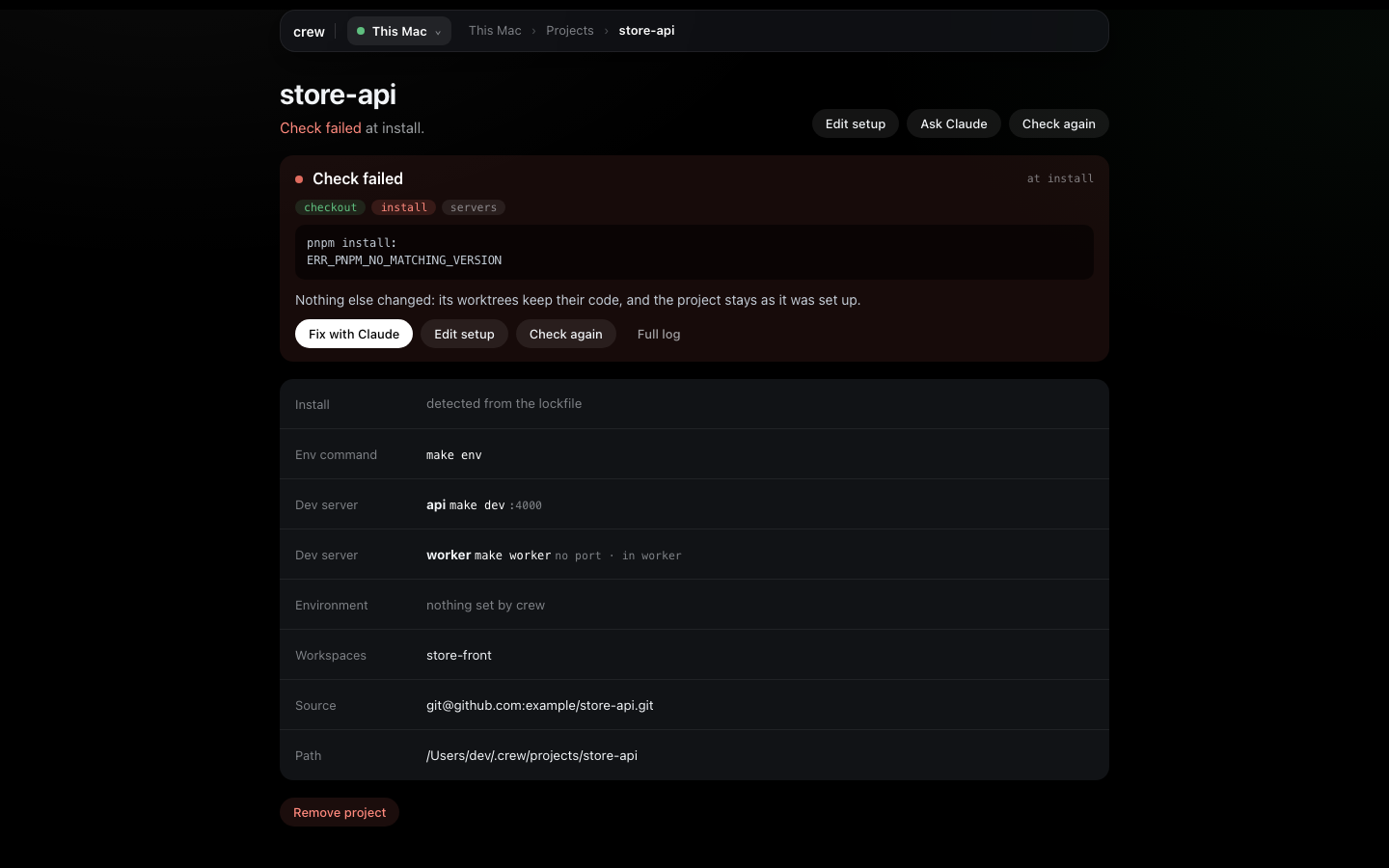
The check page follows it step by step. A pass is a green line on the project and the scratch checkout is cleared away. A failure stays on the project's page with the step it stopped at and the end of its log, with Fix with Claude, Edit setup, Check again and Full log under it, and shows up in the board's problems strip until it passes.
Moving to another machine
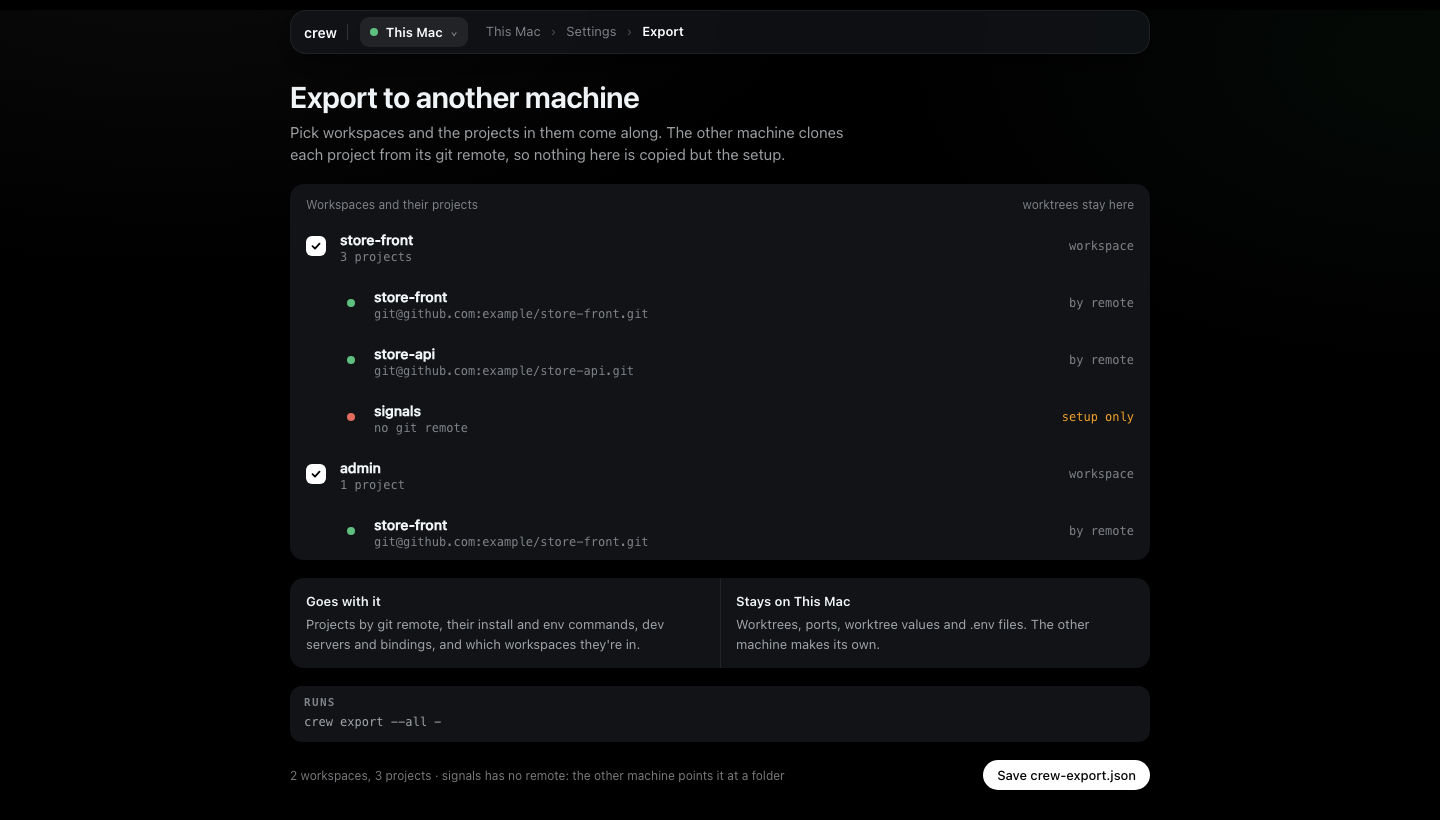
Settings has Export… and Import…. Export is its own page: I tick workspaces and their
projects come along, and the page says what goes with the file (projects by git remote, their
install and env commands, dev servers and bindings, and which workspaces they're in) and what stays
(worktrees, ports, worktree values and .env files). Save crew-export.json downloads it.
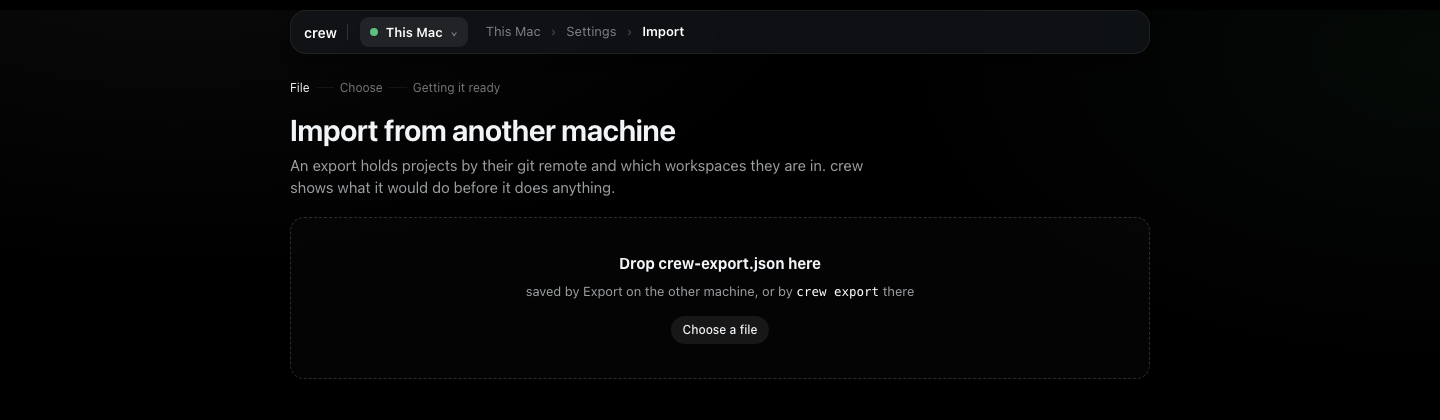
On the other machine, Import… (or Import on the very first run) takes the file. Drop it or Choose a file:
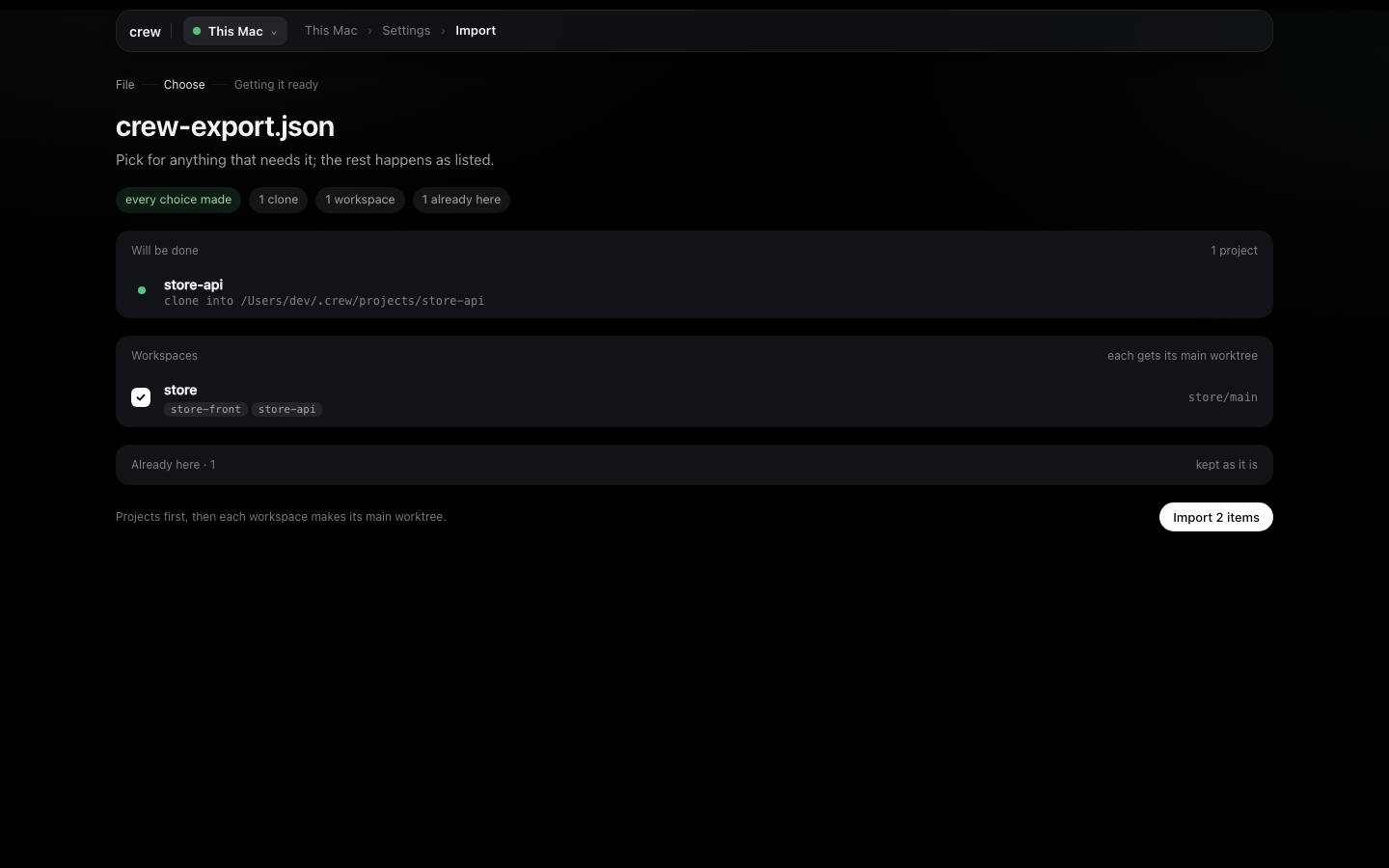
Then it shows the plan with every choice up front, before it does anything. Will be done is the
clones. Needs a choice is anything crew can't decide alone, like a project with no remote
(Point at a folder or Skip) or a name already taken by a different repo here
(Import as store-api-2, Replace mine or Skip). Already here is folded away. Each
workspace is made with its main worktree. Import stays off until every choice is made, then
runs it all and ends on Open Voice OS or Go to the board.
Settings
Settings is in the machine picker's menu at the top left.
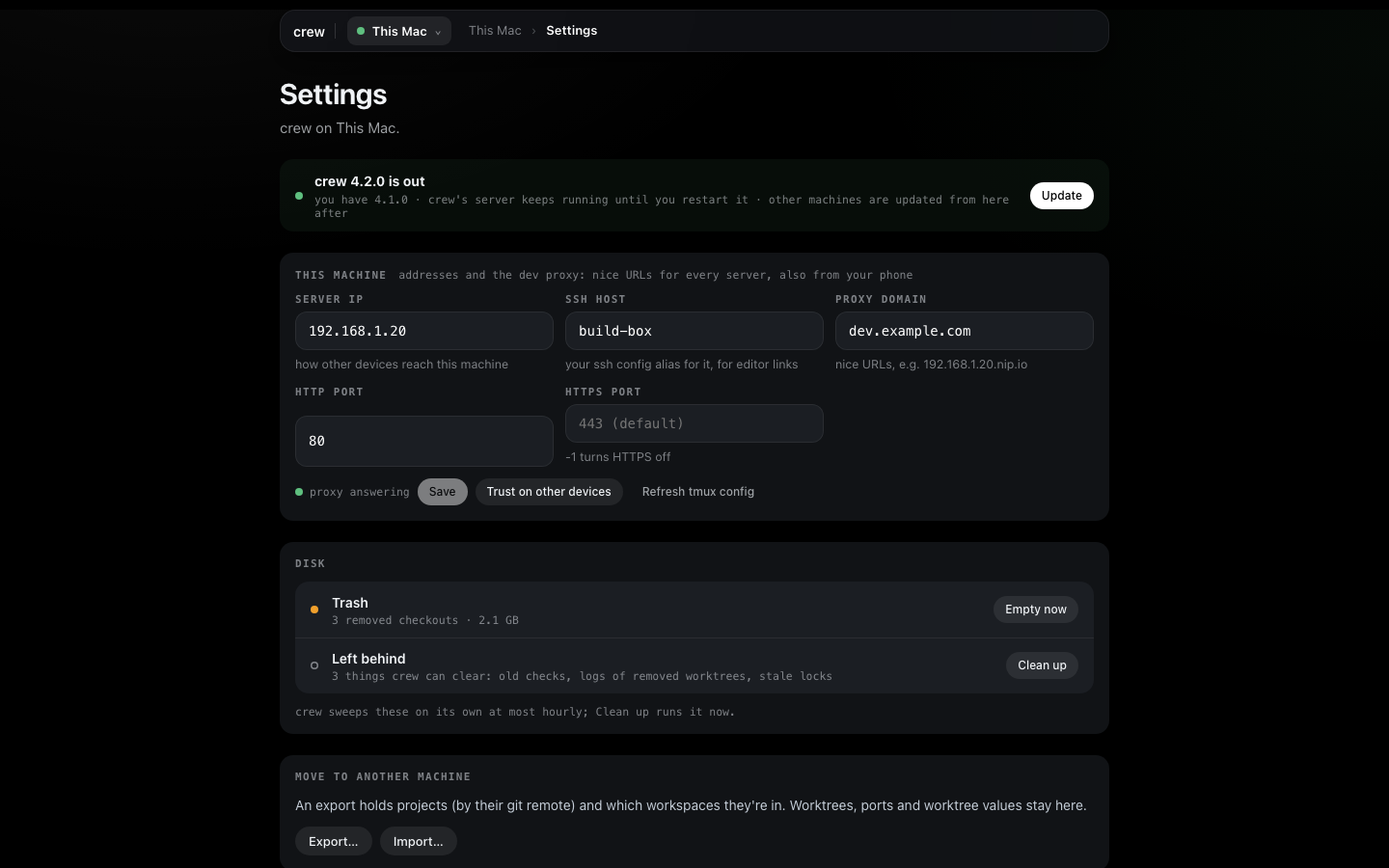
When a newer crew is out, the top row says so with Update. crew's server keeps running the old version until you restart it. Machines you've added are updated from the main after: when a remote runs an older crew than the main, the main updates it, once per version, and never downgrades one.
This machine holds its addresses and crew's proxy. By default everything is on
localhost. With a Server IP and a Proxy domain set, other devices on your network reach
crew's page through the proxy by name, a phone included, and the line under the fields says whether
the proxy answers. Trust on other devices shows how to trust crew's certificate on a Mac, iPhone or
Android, once per device, which the phone needs for the microphone in Voice OS.
Other devices explains why.
Disk is where removed things go. Trash is removed checkouts waiting to be deleted, because a checkout with a full build in it can be huge; crew empties it in the background and Empty now does it now. Left behind is what crew can clear on its own: old failed checks, logs of removed worktrees, stale locks. crew sweeps those at most hourly, and Clean up runs it now. Both say what they'll remove before they do.
When you don't know where to click
Setup with Claude is the box at the top of the board, and Open shows the whole conversation. It's a Claude Code session in your home folder that drives crew for you, so I ask it anything I'd otherwise hunt for in the forms: "add the signals repo to crew and give it a worktree", "why does store-api's install fail?", "check this machine".
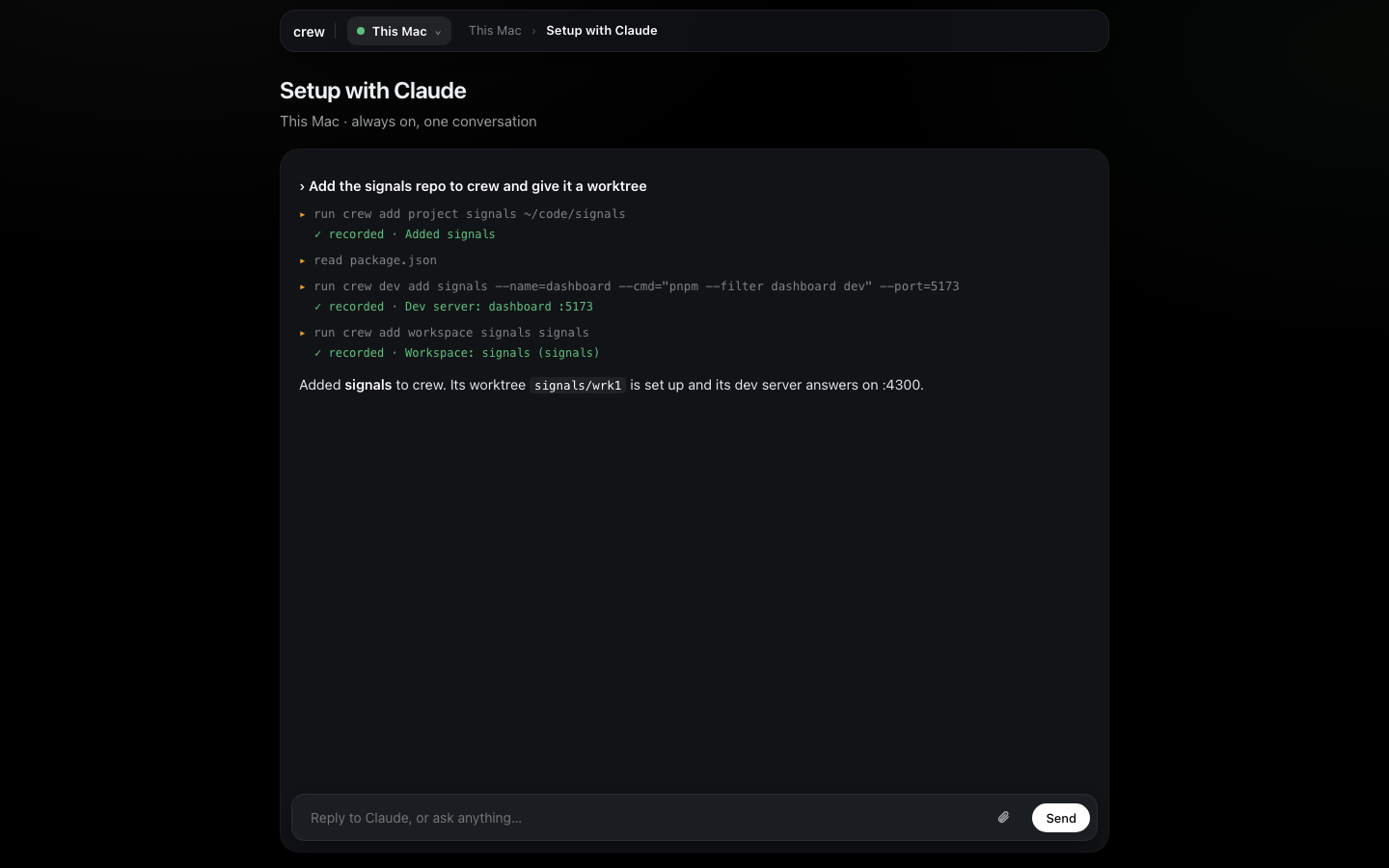
Each step it takes shows up as it goes, and every change it actually recorded gets a green ✓ recorded line, taken from what crew did and not from what Claude says about it. Type @ in the box to name one of this machine's worktrees or projects. Fix with Claude and Ask Claude anywhere in Set up start here, with the failure or the form already said.
Everything in this tutorial is also a crew command, for scripts and agents: the command reference has them all.