Install and your first worktree
This takes you from nothing to the same store running twice on one machine, each copy on its own
branches, its own ports and its own .env. I use two repos throughout: store-front, a React app
on Vite, and store-api, a FastAPI service with a background worker. Your own repos work the same
way.
Apart from installing crew and opening its page, all of it happens in the browser, on crew's page.
Before you start
crew runs on macOS and Linux. It needs git, because every project and every worktree is a git checkout, and tmux, because dev servers and setup run in tmux sessions. Claude Code is what each worktree's session runs, and what Voice OS and Setup with Claude use.
If your projects use mise, it has to be activated in your shell. That one bit me, so it gets its
own paragraph. crew runs a checkout's install through mise, so the install always finds the right
node or python. Dev servers run in your normal login shell though, and if mise isn't activated
there, npm run dev or uv run simply isn't on the PATH. The server dies with
command not found (you'll see exactly that further down). This is the
one thing the page can't do for you, so add it to your shell once:
echo 'eval "$(mise activate zsh)"' >> ~/.zshrc # or bash, fish
Install crew
curl -fsSL https://raw.githubusercontent.com/FurlanLuka/crew/main/install.sh | sh
Open the page
crew
That starts crew's server if it isn't running and opens its page in the browser. Over SSH it prints the link instead. The first time, the page opens on the first run with three ways in: Import (an export from another machine), Set it up step by step and Skip.
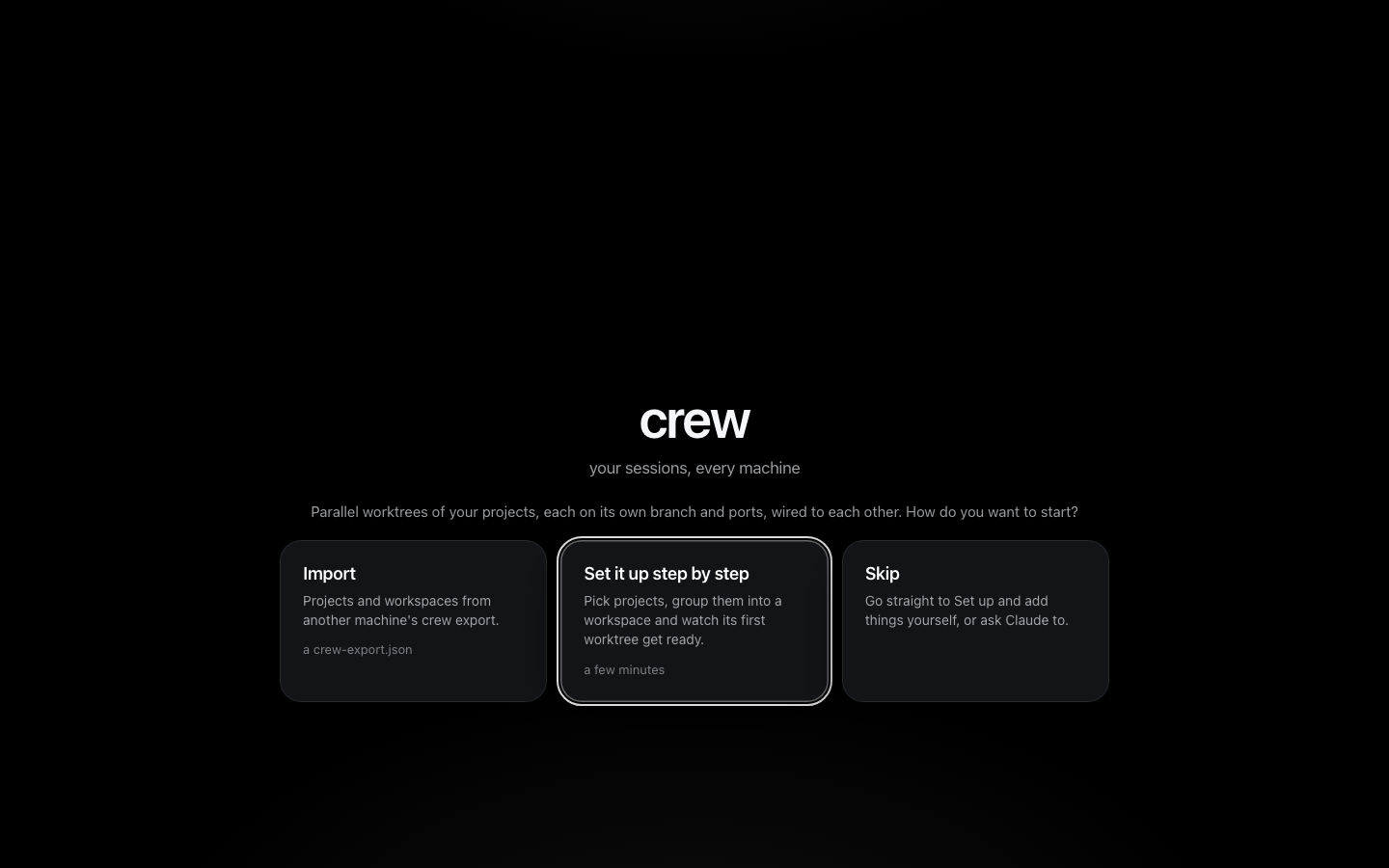
I pick Set it up step by step.
Add the projects
The first step, Pick your projects, lists the git checkouts crew found in your usual code
folders (~/code, ~/projects, ~/dev, ~/src, ~/Developer, ~/work, ~/repos). Each one
you tick is cloned fresh from its remote into crew's own folder, ~/.crew/projects/<name>. Your
checkout is never touched. That matters later: crew's worktrees branch from its own clone, so
nothing it does lands in the repo you already work in.
My two repos aren't on this machine yet, so I press Add by URL, paste the git URL and press Add store-front, then the same for store-api:
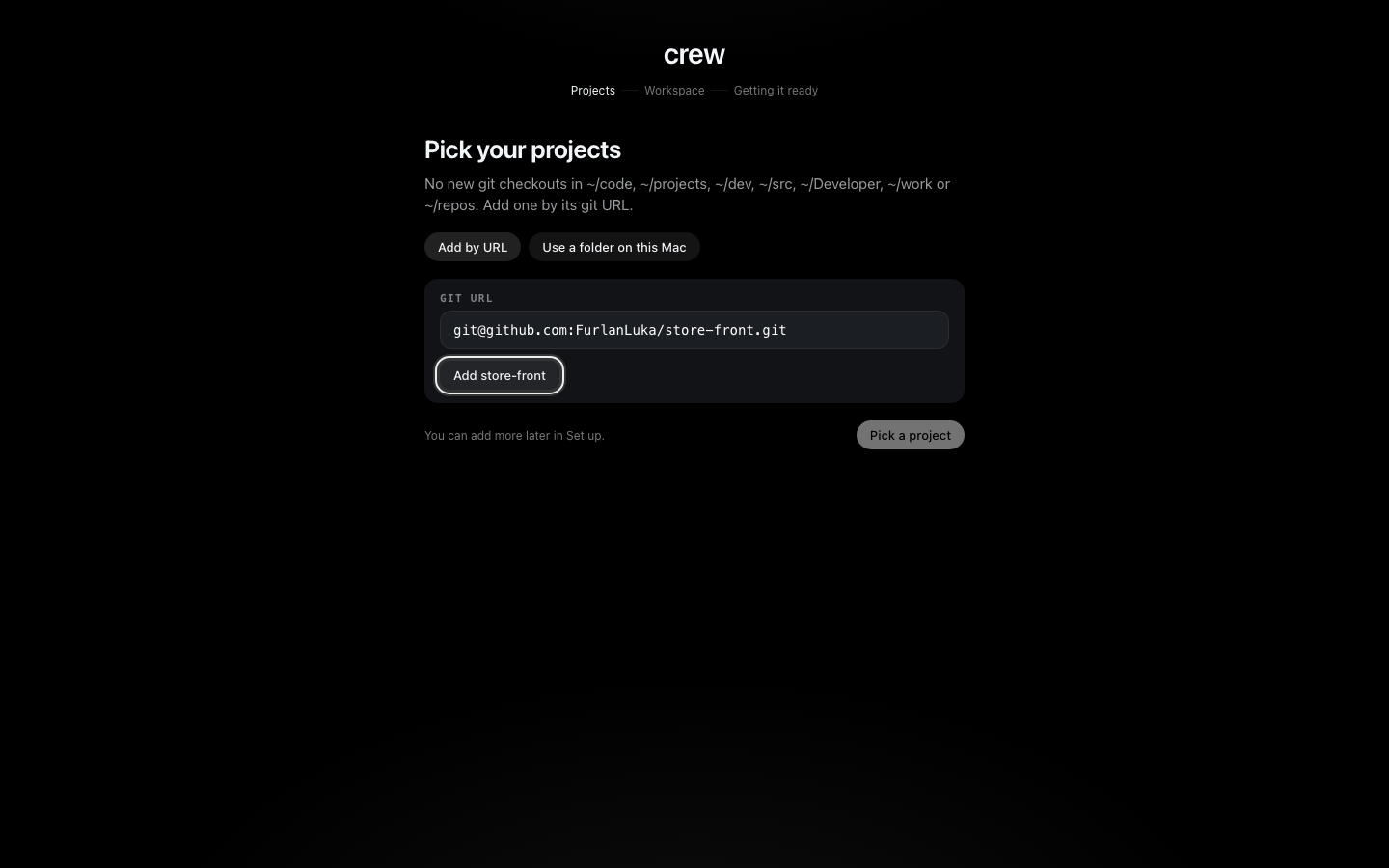
Use a folder on this Mac is there for a repo with no remote. crew then uses that folder as it is, and its worktrees branch from your checkout.
From here on the git remote is the project's identity. crew also works out how to install every
new checkout: it found a mise.toml and a package-lock.json in store-front, so that's
mise install then npm ci, and for store-api it reads uv.lock and runs uv sync. The
lockfiles it knows are uv.lock, pnpm-lock.yaml, yarn.lock, bun.lock and
package-lock.json. When that isn't enough, you type your own install on the project's form later.
Make the workspace
A workspace is the set of projects you work on together. The next step, Make a workspace, asks
for a name and the projects, and shows the session it will make. I call it store, keep both
ticked and press Create store:
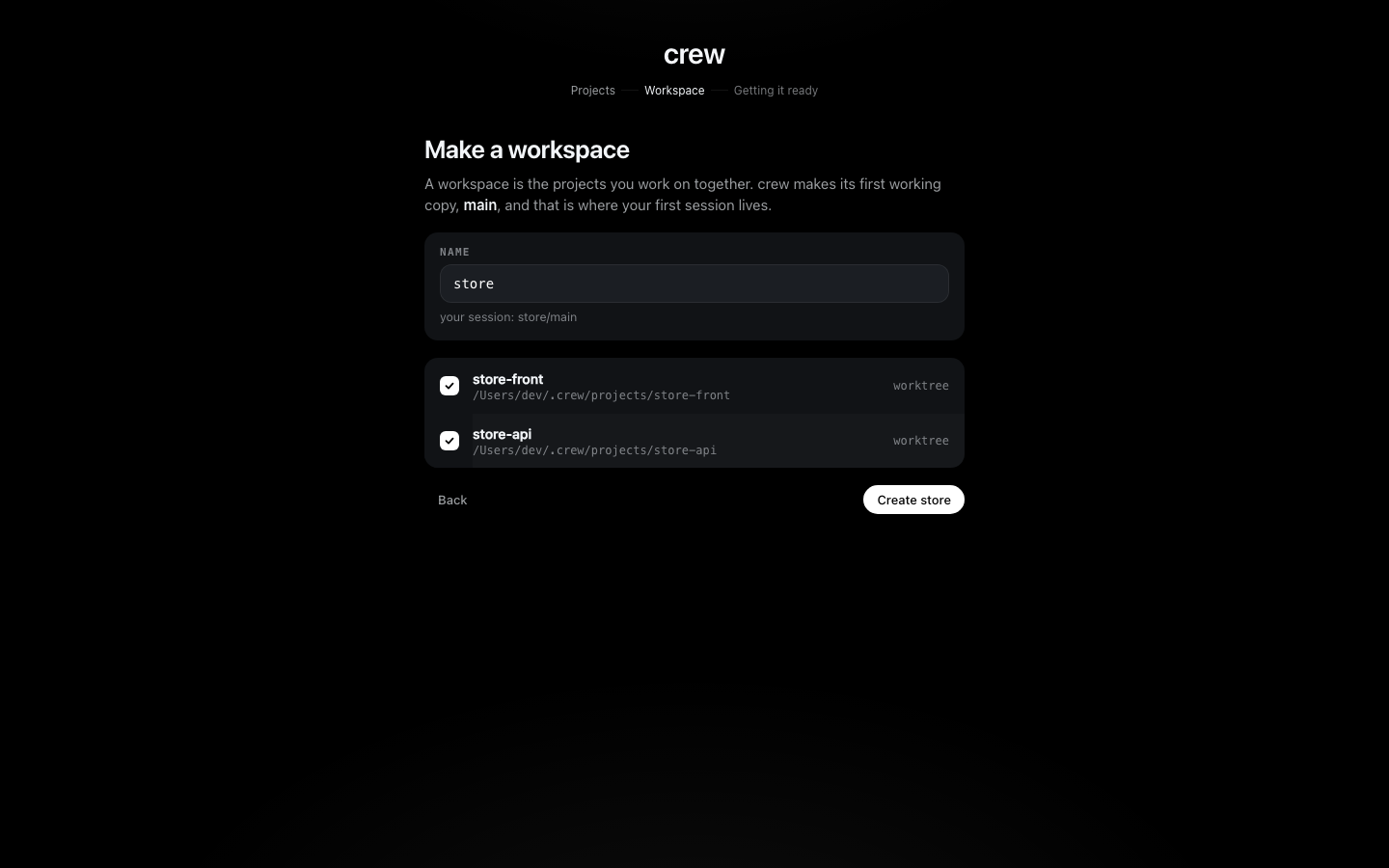
Creating it also makes its first worktree, main. For each project crew makes a git worktree on
its own branch (crew/store/main/store-front), copies the .env in and runs the install. Each
project gets its own runner in the background, so the slowest project sets the pace. Getting
store/main ready follows them, one row per project with the step it's on, and moves on by itself:
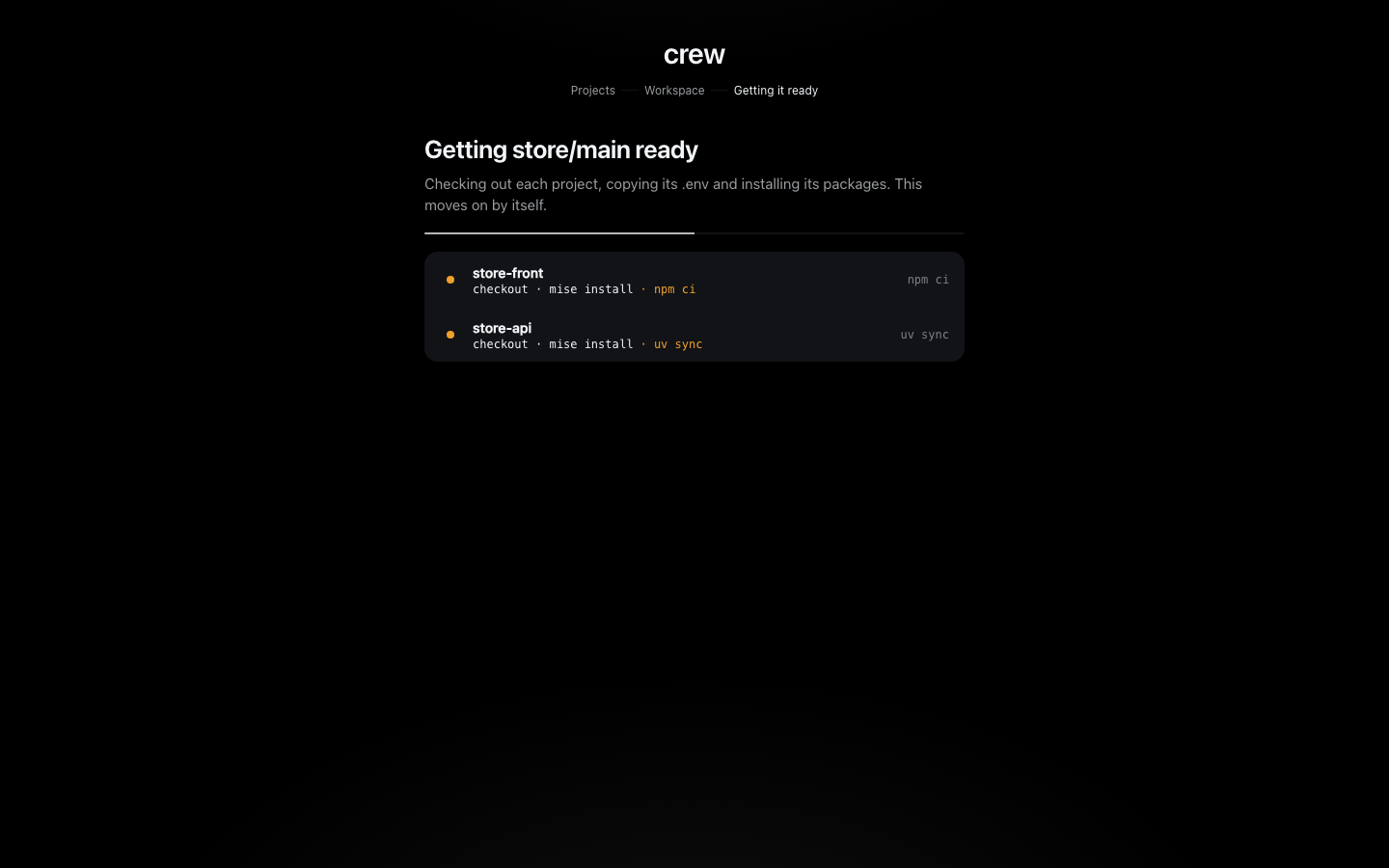
When both are done the first run says so:
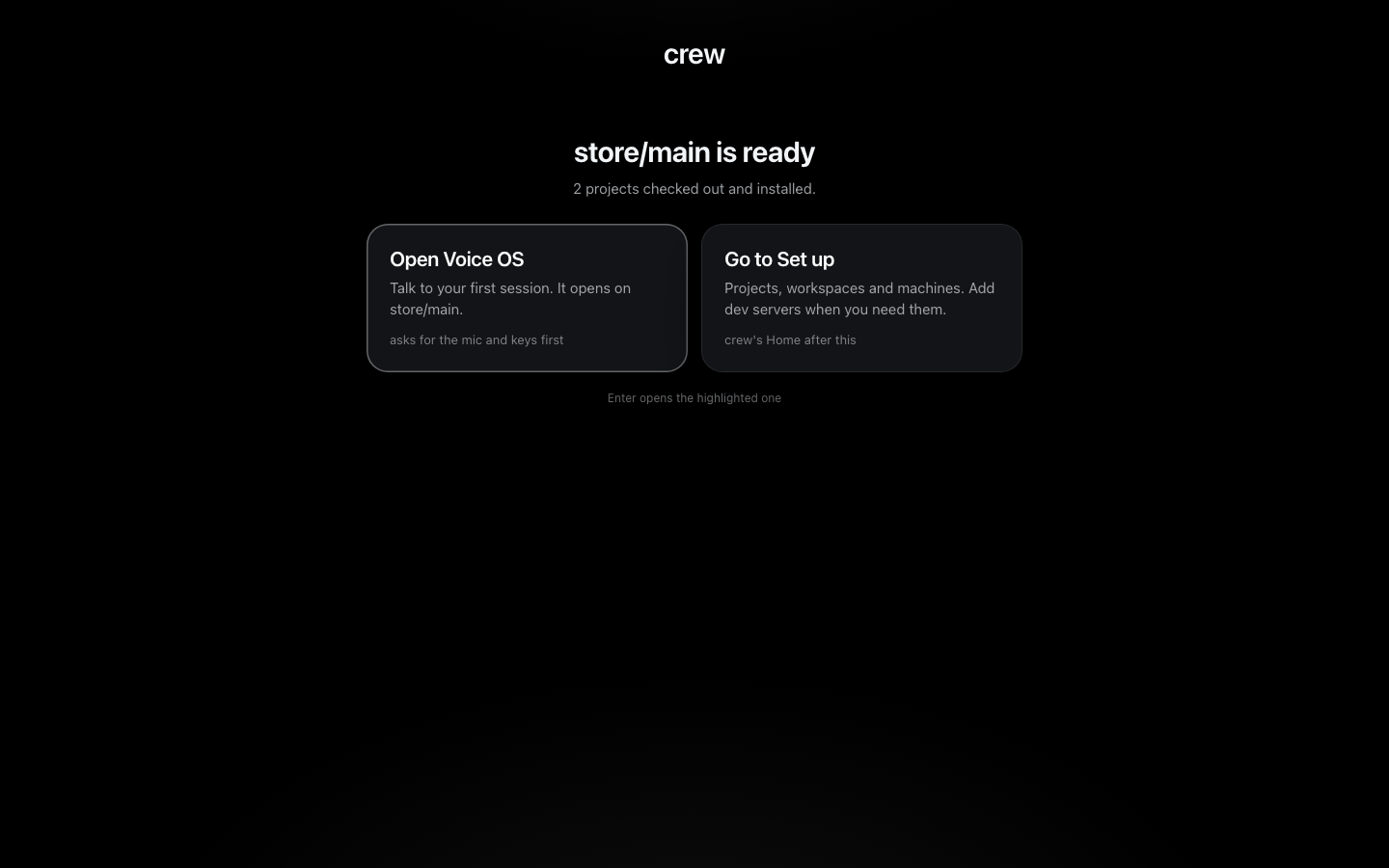
Open Voice OS is tutorial 2. There's nothing to run yet though, because crew doesn't know how either project starts. So I press Go to Set up.
Tell crew how each project runs
Set up opens on the board. The Projects tab lists both projects, and a click on one opens its page with what crew recorded about it. Edit setup opens its form. That form has three parts: the install and env command, the dev servers, and the Environment.
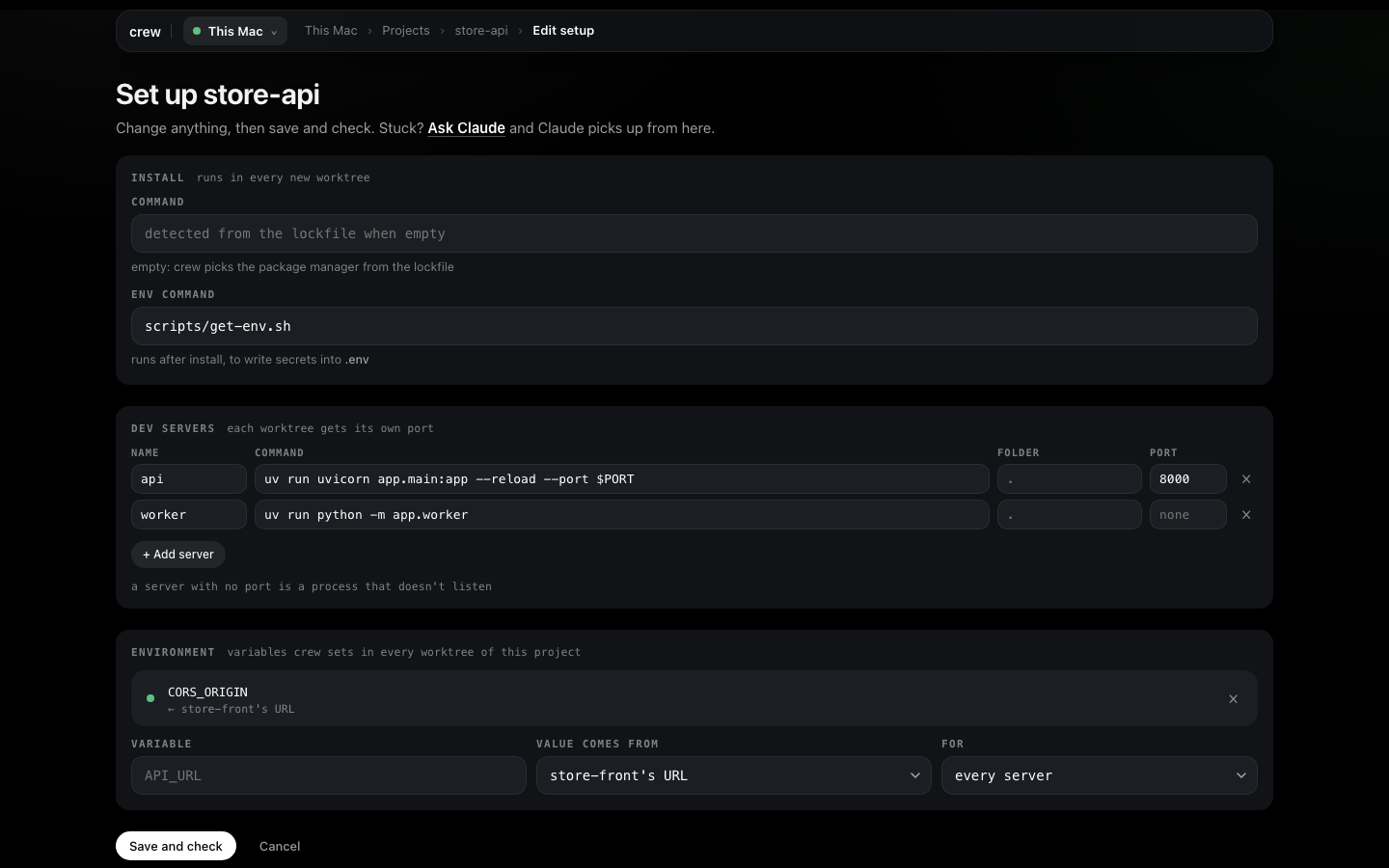
I start with store-front, because the Environment's Value comes from only offers projects that already have a server with a port, and each project points at the other.
Dev servers
A dev server is a name, a command, the folder it runs in and a port. + Add server adds a row.
The one rule crew has for your code is that the command listens on $PORT. crew gives every
server in every worktree its own port and runs the command with PORT set to it, so two copies
never fight over 5173. The port you type is only a reference.
For store-front that's web, npm run dev, port 5173. Its vite.config.ts reads the port from
process.env.PORT, so plain npm run dev is enough. Yours might need -p $PORT on the command.
Save and check saves it.
store-api has two. api is uv run uvicorn app.main:app --reload --port $PORT on 8000. worker
is uv run python -m app.worker, a process that pulls jobs and never listens on anything, so I
leave its port empty. A server with no port runs with no PORT and gets no URL, and when crew
checks it, staying alive is the whole test. If I'd given it a port, crew would wait a minute for
something to answer there and report it as not listening.
The env command
store-api reads its secrets from .env. At work that file would come out of a vault or sops; in
this repo scripts/get-env.sh writes it, standing in for that. The Env command field runs in
every new checkout right after the install.
It has to write files and never print values, because its output goes into the install log. By the
time it runs, crew has already copied the .env from the project's own clone (or a sibling
worktree), so the env command only overwrites what it needs to.
The Environment
The front needs the API's URL, and that URL is different in every worktree. A line in the
Environment says how to compute it, once, on the project that needs the value. On store-api I set
Variable to CORS_ORIGIN, Value comes from to store-front's URL and leave For on
every server. Before I save, the line shows what it would be in every worktree:

(That shot is from later, once store/wrk1 existed. Before a worktree has the project, there's
nothing to preview.)
Then back on store-front's form, VITE_API_URL comes from store-api api's URL. It names the
server because store-api has two. When the servers start, that becomes
http://localhost:<the port api got in that worktree>. Value comes from also offers a
project's port, the worktree's or workspace's name and a fixed value.
How crew works has the whole list.
Save and check
Save and check records the form and then checks the project from nothing: a clean scratch checkout, the install, the env command, and every dev server has to come up. The page follows it step by step. It touches none of your worktrees, and a pass clears the scratch checkout away.
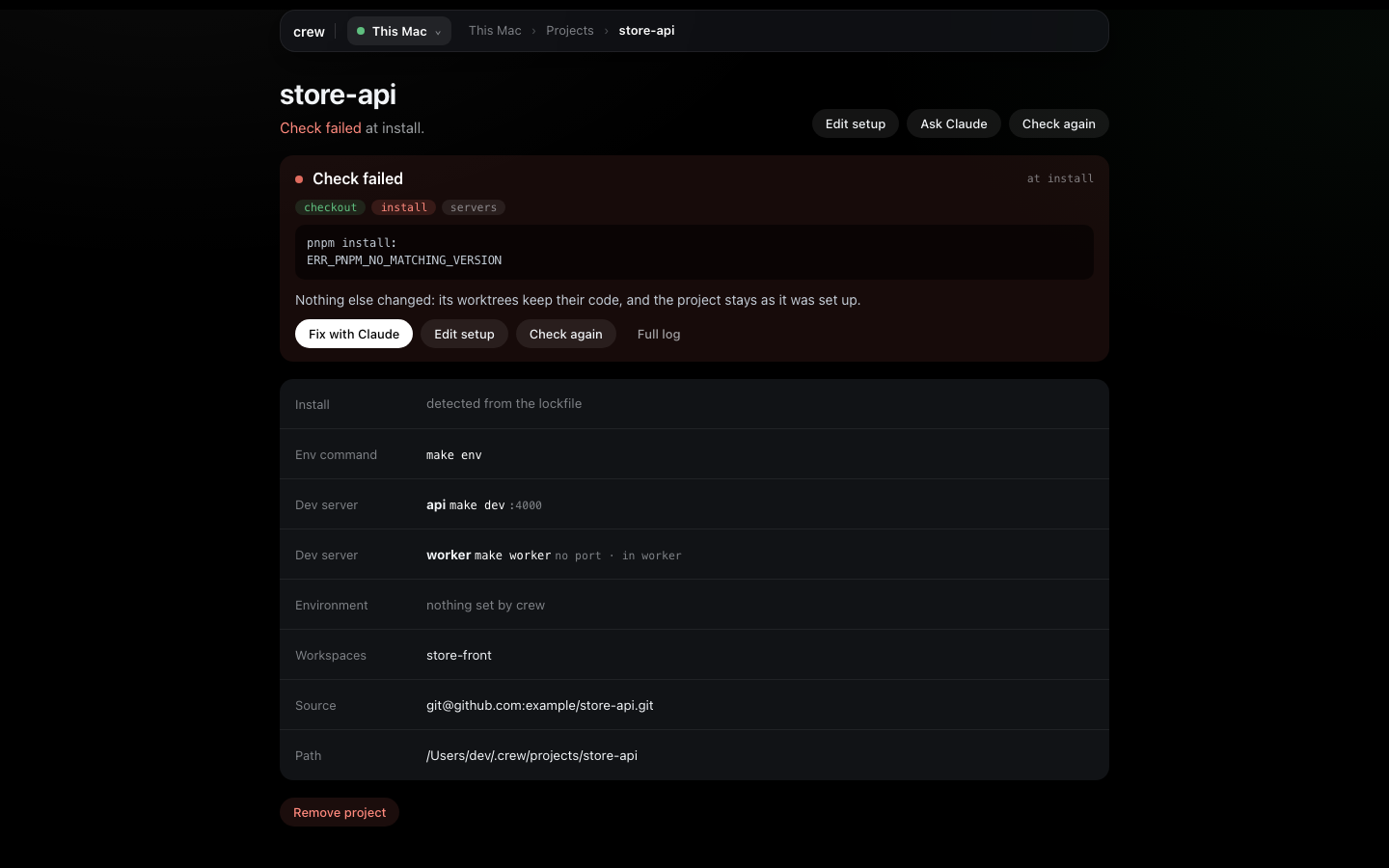
If you'd rather not fill the form yourself, Ask Claude hands the project to Setup with Claude, which reads the repo, works out the servers and records them.
Run it
Now the worktree. From the board's Workspaces tab I click the main chip on the store row.
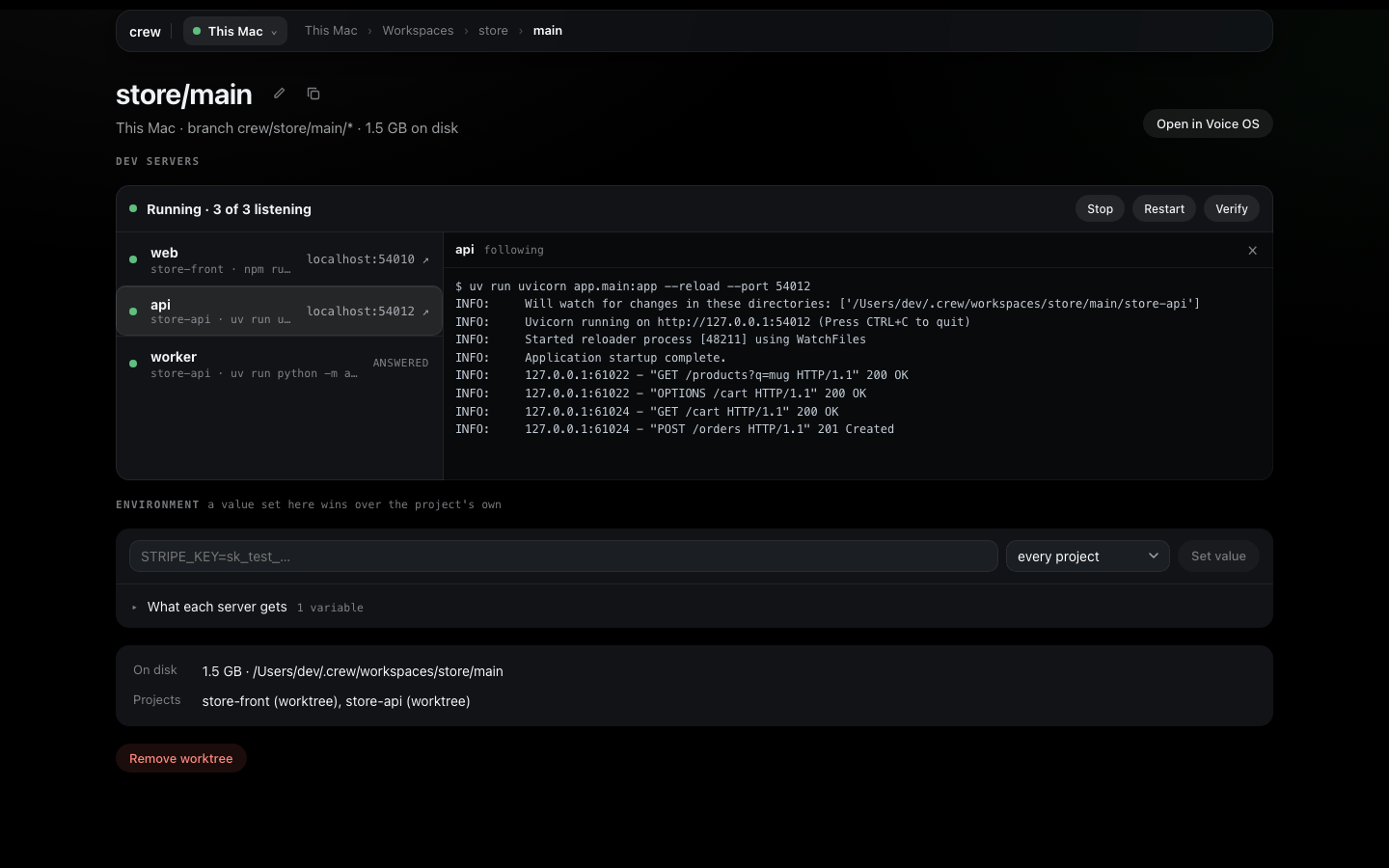
The worktree's page has a Dev servers card with everything about its servers. Because I added
the servers after main was made, I press Verify first: it starts each server from scratch and
turns its line green as it answers. Then Start.
The card's top line says what's going on, "Running · 3 of 3 listening" here, with Stop, Restart and Verify. Each server shows its command, and the two that listen show their URL. The worker has no URL, only the word that it answered.
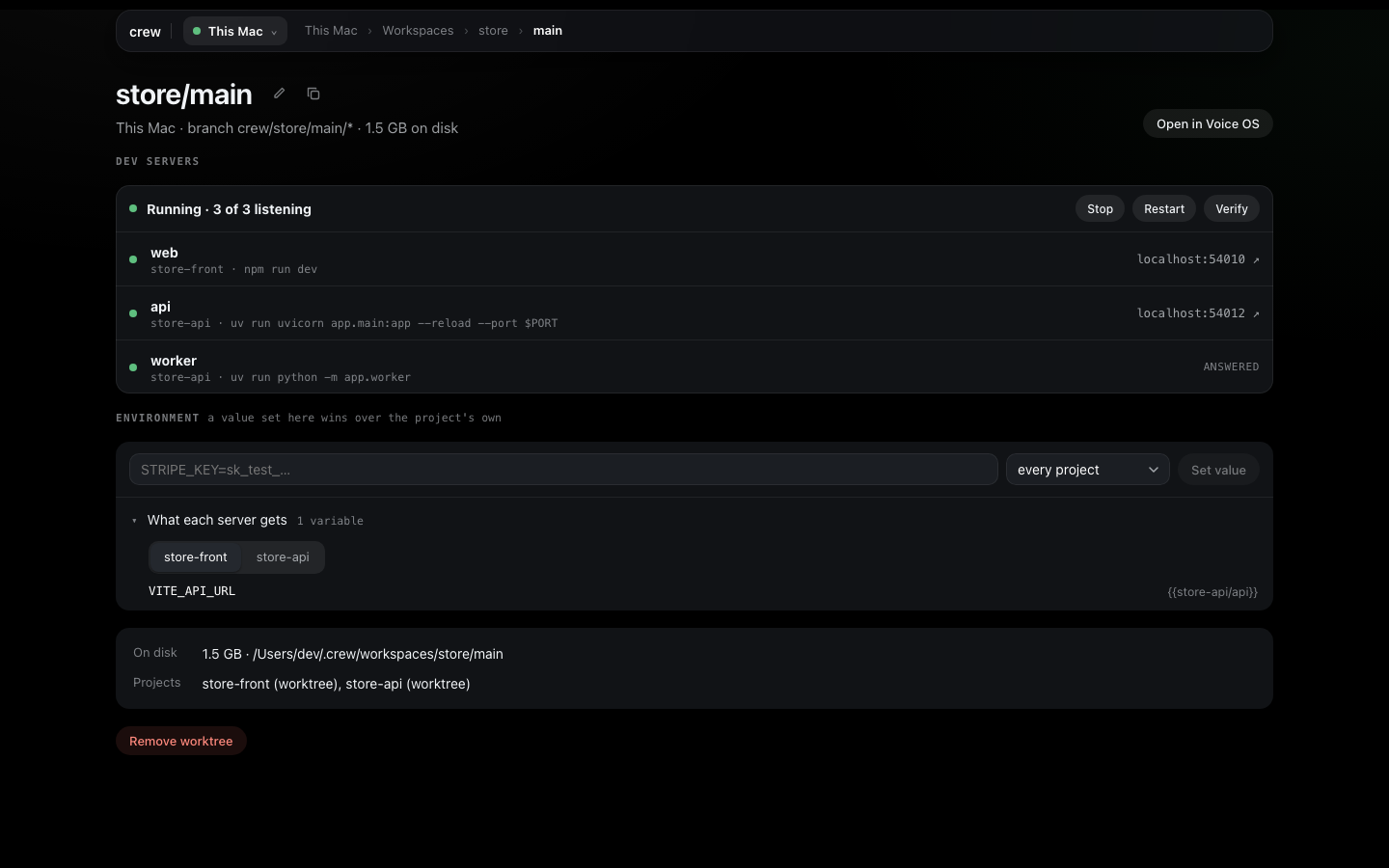
Under it, the Environment card. What each server gets opens the final env, project by project. Click a server and its log opens beside the list and follows it. Logs start fresh on every start.
A second worktree
This is the point of all of it: a second copy of the whole store, on its own branches, running at
the same time. On the board, + new on the store row opens New worktree in store:
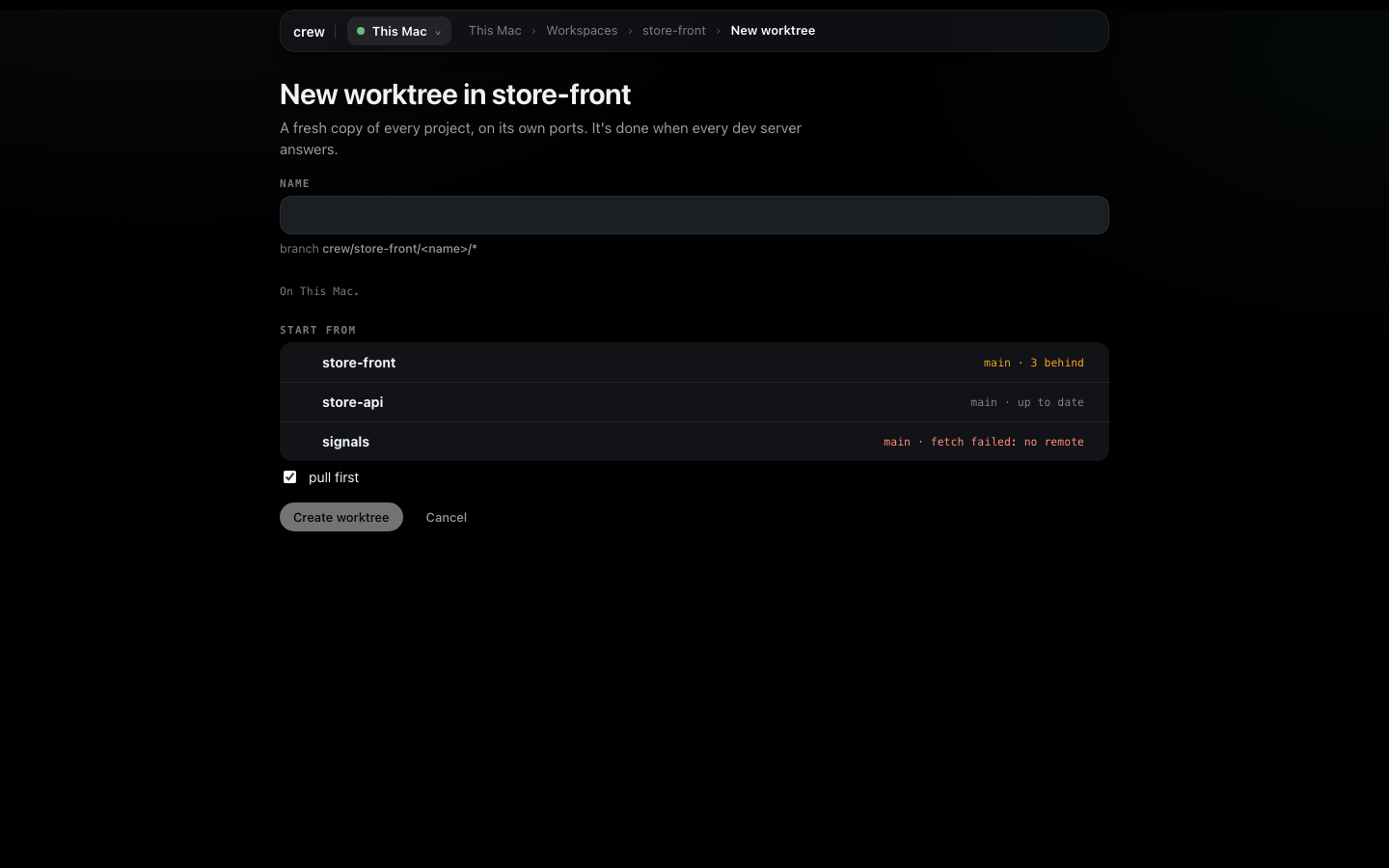
Start from shows each project's base branch and how far it is behind origin, and pull
first fast-forwards those bases before branching. I name it wrk1 and press Create worktree.
That takes me to store/wrk1's page, where the Dev servers card follows each project through
checkout, install, env command and its servers coming up. When it's done I press Start there
too.
Both copies now run side by side, each on ports of its own. Each one talks to its own API, because
VITE_API_URL resolved against that worktree's ports: open What each server gets on either
page and you'll see it. A worktree keeps its ports, so a restart lands on the same ones. Now one
Claude can fix search in wrk1 while main stays as it was.
When something fails
Making a worktree never stops halfway. A step that fails is recorded on the worktree with its
evidence, and the other projects carry on. My first try was before mise was active in my shell.
The install worked, because it ran through mise, but web died: the Dev servers card showed it in
red and opened its log by itself, ending in zsh: command not found: npm.
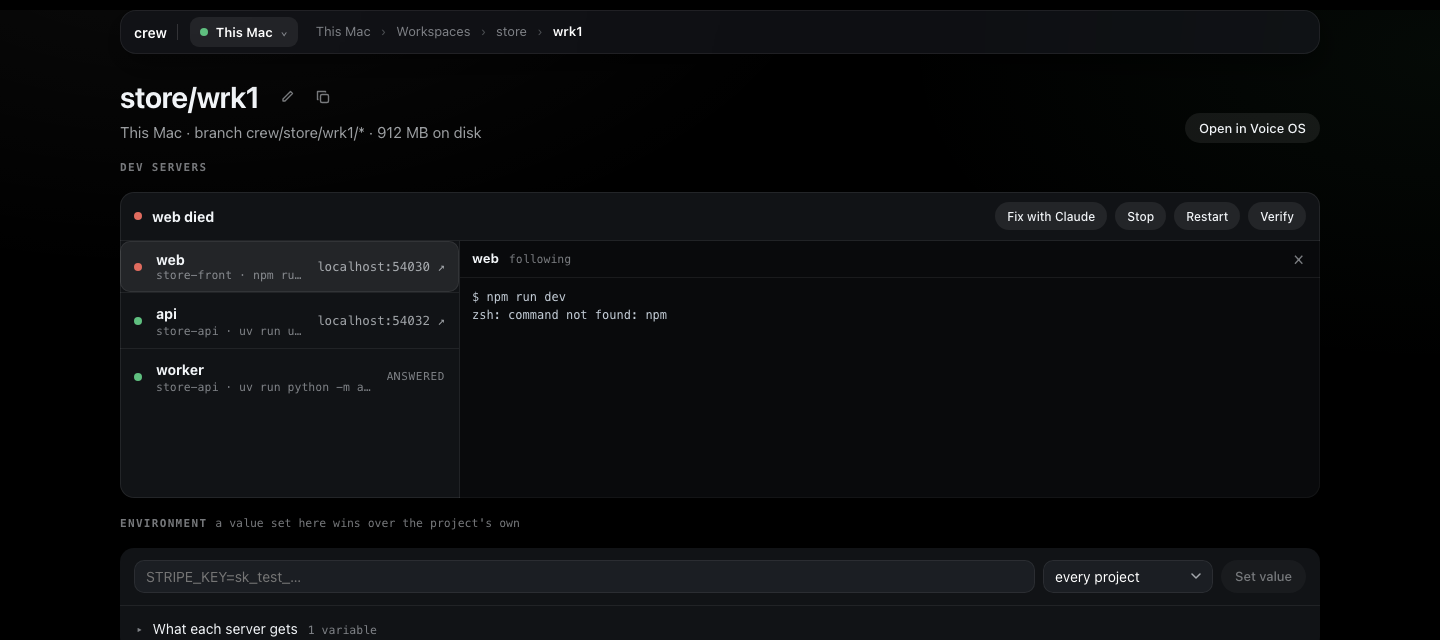
The board shows it too, in the problems strip at the top, one row per thing that needs you, with Fix (the page with the failure on it) and Fix with Claude. It stays there until something clears it.
There are two ways out. Fix with Claude hands the failure, with its log lines, to Setup with Claude, and the worktree's Dev servers card opens beside the chat so I can watch its servers stop, restart and answer while Claude works. Or I fix it myself (here, the shell line above) and press Verify, which starts each server from scratch and clears the failure once every one answers. A failed install shows Install again instead. Verify stops running servers first, and asks before it does.
Next
Tutorial 2 opens Voice OS on these worktrees and fixes the search bug by talking to them. Set up has every page in detail, and how crew works the model underneath. Every button here is also a crew command, listed in the command reference.